 My Lyrics
How to translate song lyrics
With Tools → Translate lyrics you can read the lyrics in another language next to the original, without changing the song you already have saved.
Choose the song and the language
- Open Tools and tap Translate lyrics.
- Select the song from the list.
- Tap the language selector and choose the translation target.
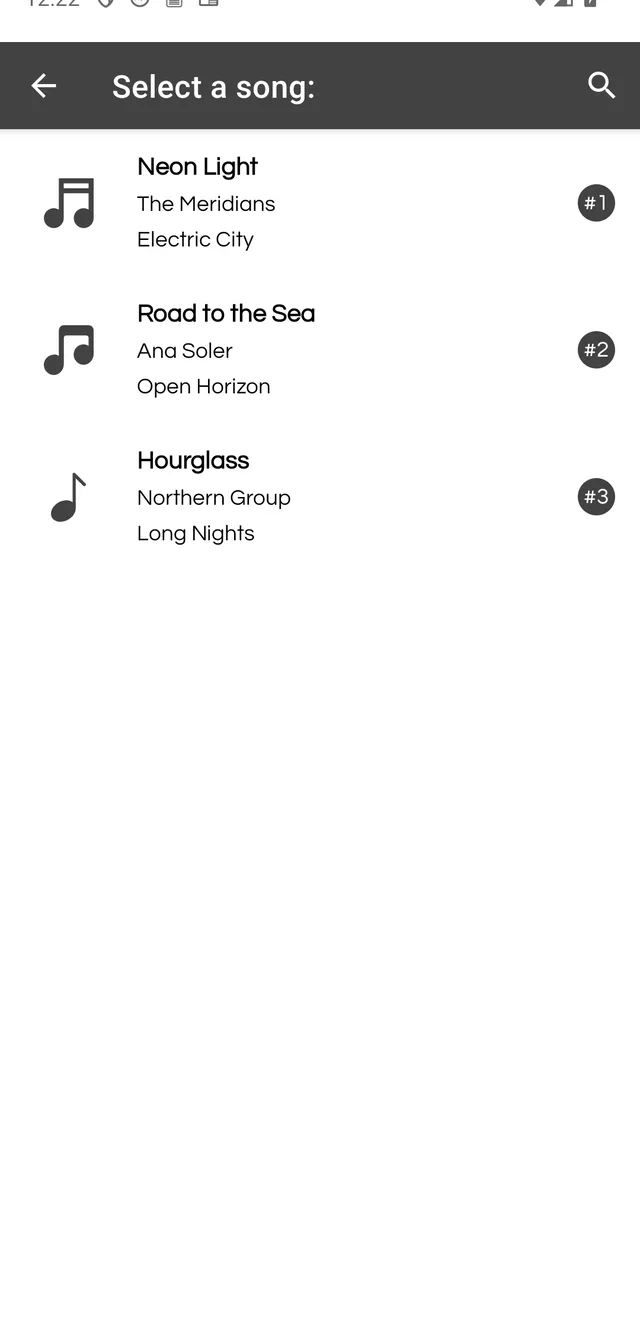
The first time you use a language, the app downloads the required data, so that translation may take a little longer.
Compare the translation
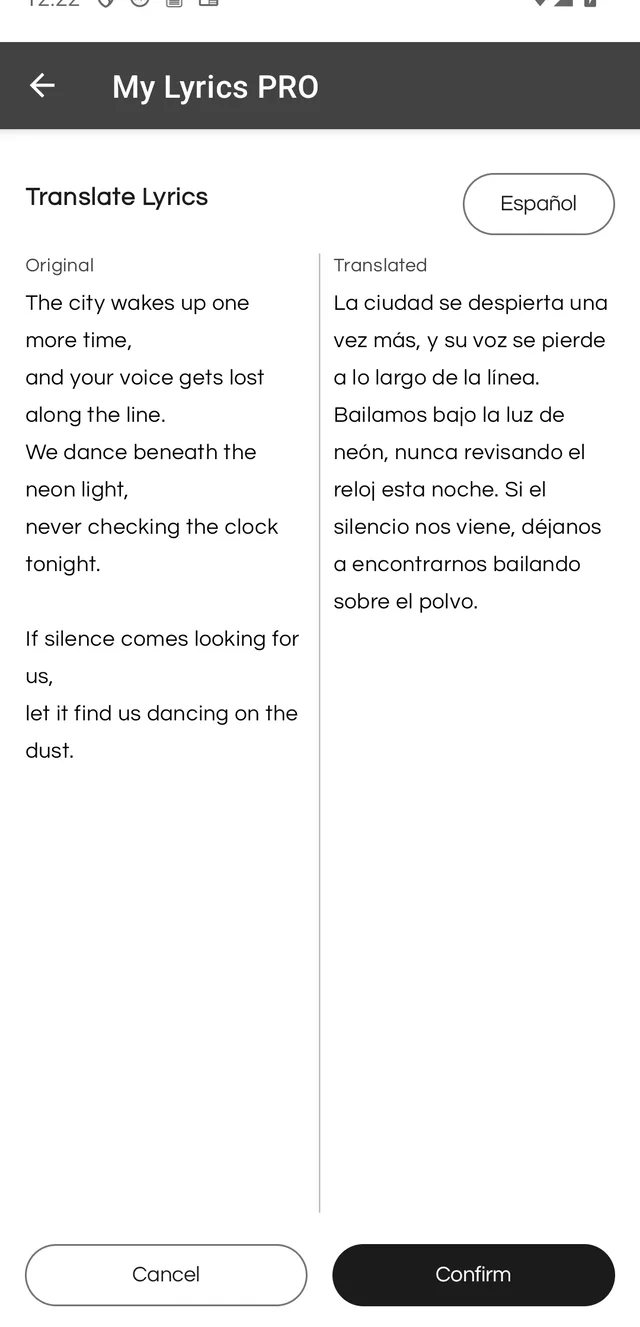
The screen shows two columns: Original on the left and the translation on the right. Check that the meaning holds before continuing.
Decide whether to save it
Tap Confirm. The app asks Do you want to save the translated lyrics?:
- Cancel closes the prompt and leaves the original song untouched.
- Yes, save creates a new song with the translated lyrics.
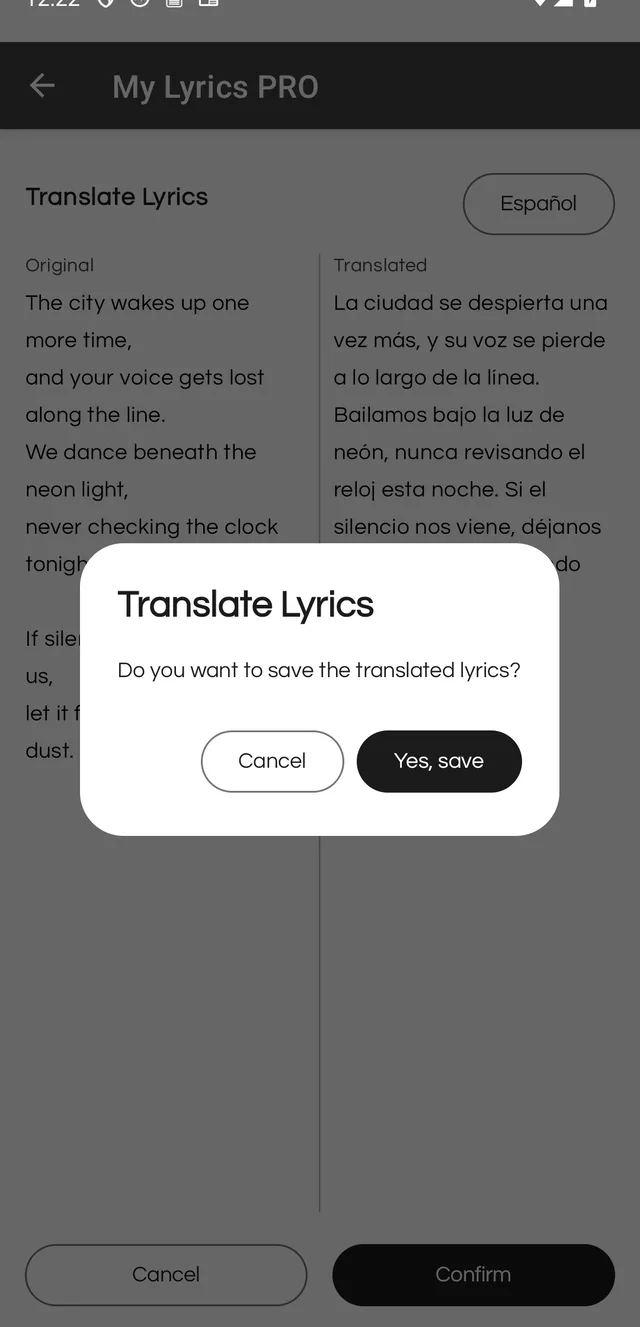
If you only wanted to read the song in another language, choose Cancel: the translation is not saved and your library stays the same.
Free version: you get 3 uses of this tool. PRO makes it unlimited.