 My Lyrics
How to export and print lyrics
From Tools → Export / Print lyrics you can create a PDF of a song to print it or save it on your device.
Choose what to include
- Open Tools and tap Export / Print lyrics.
- Select the song from the list.
- Turn Include Artist, Include Album and Show notes on or off depending on what you want in the document.
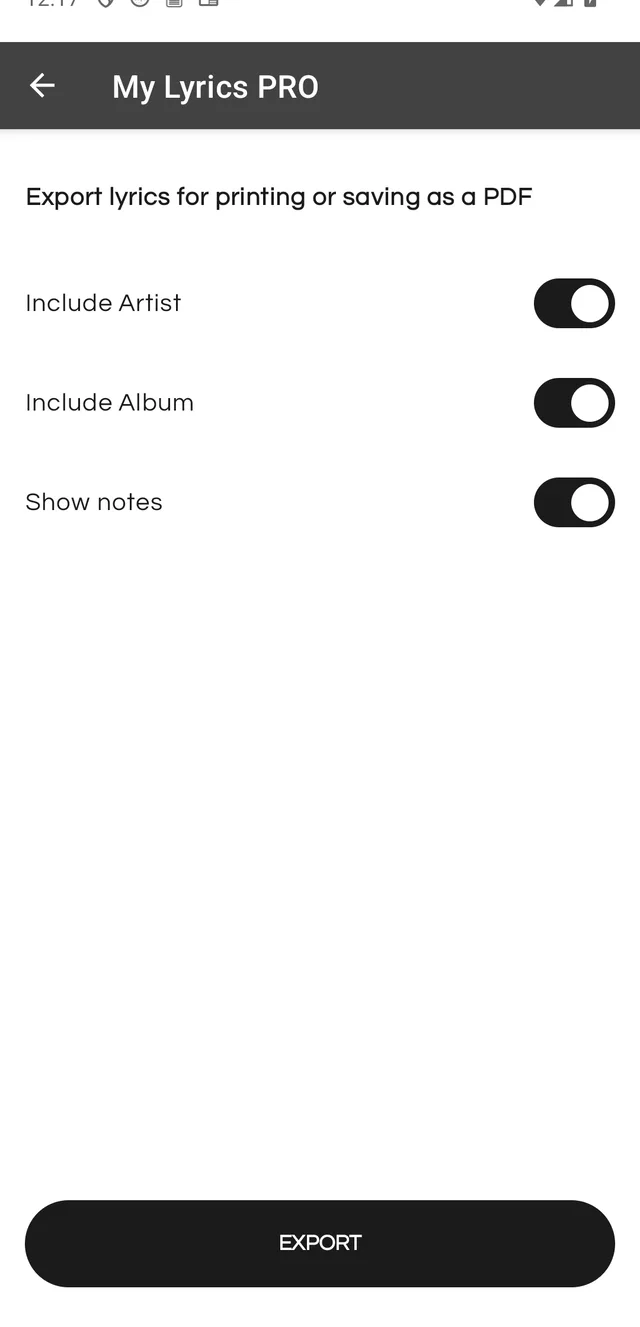
Export
Tap EXPORT. The Android print preview opens with the document already laid out.
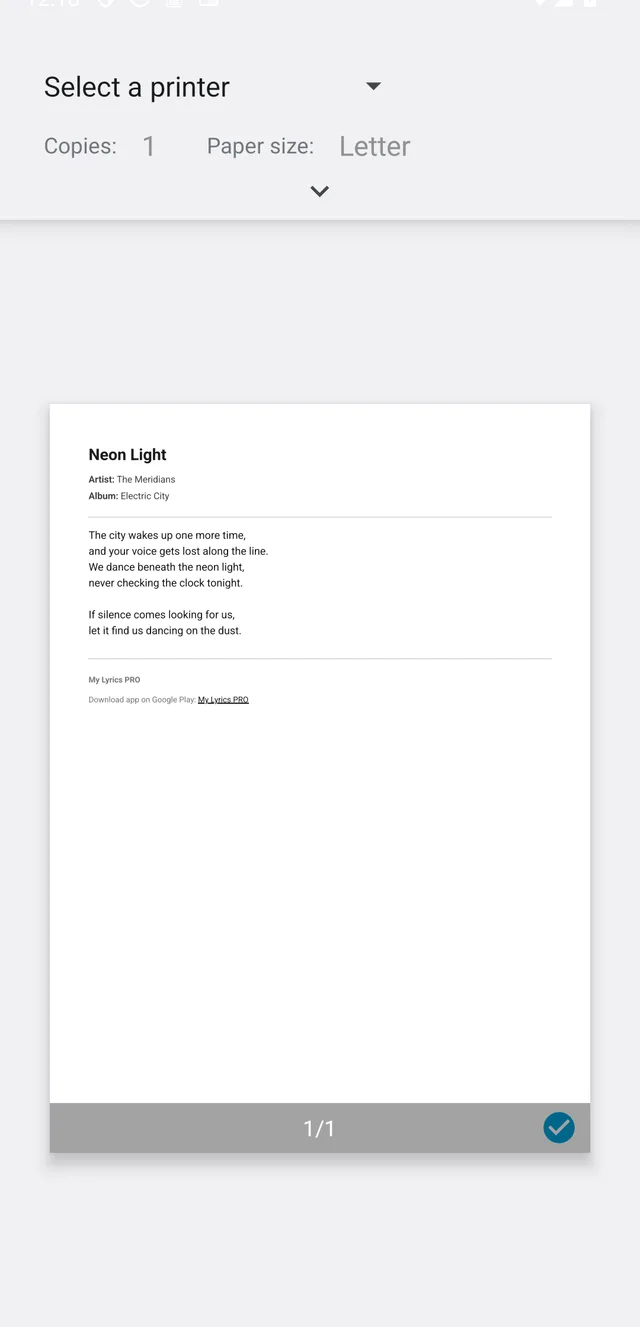
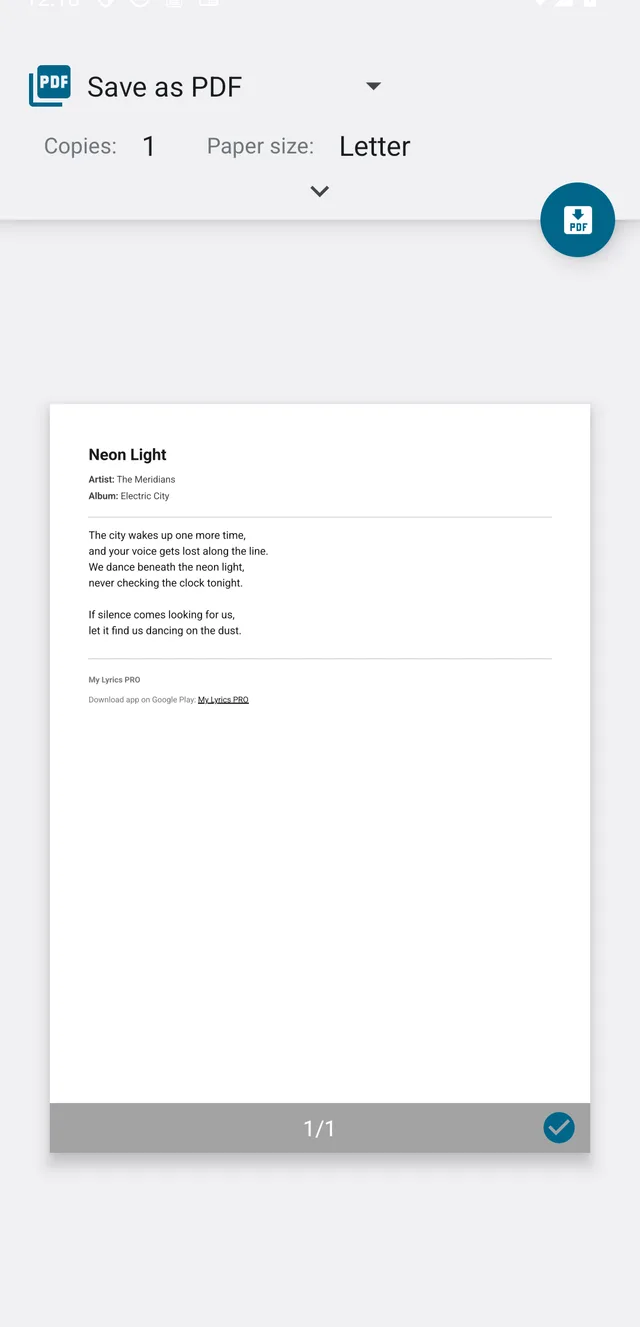
From there you can:
- Pick a printer from the list to print on paper.
- Tap Save as PDF and choose where to save the file.
Free version: you get 5 uses of this tool. PRO makes it unlimited.